Ask AI
Ask AI is a persistent chat interface where you can have conversations about your bills, services, and spending patterns in plain English.
Opening Ask AI
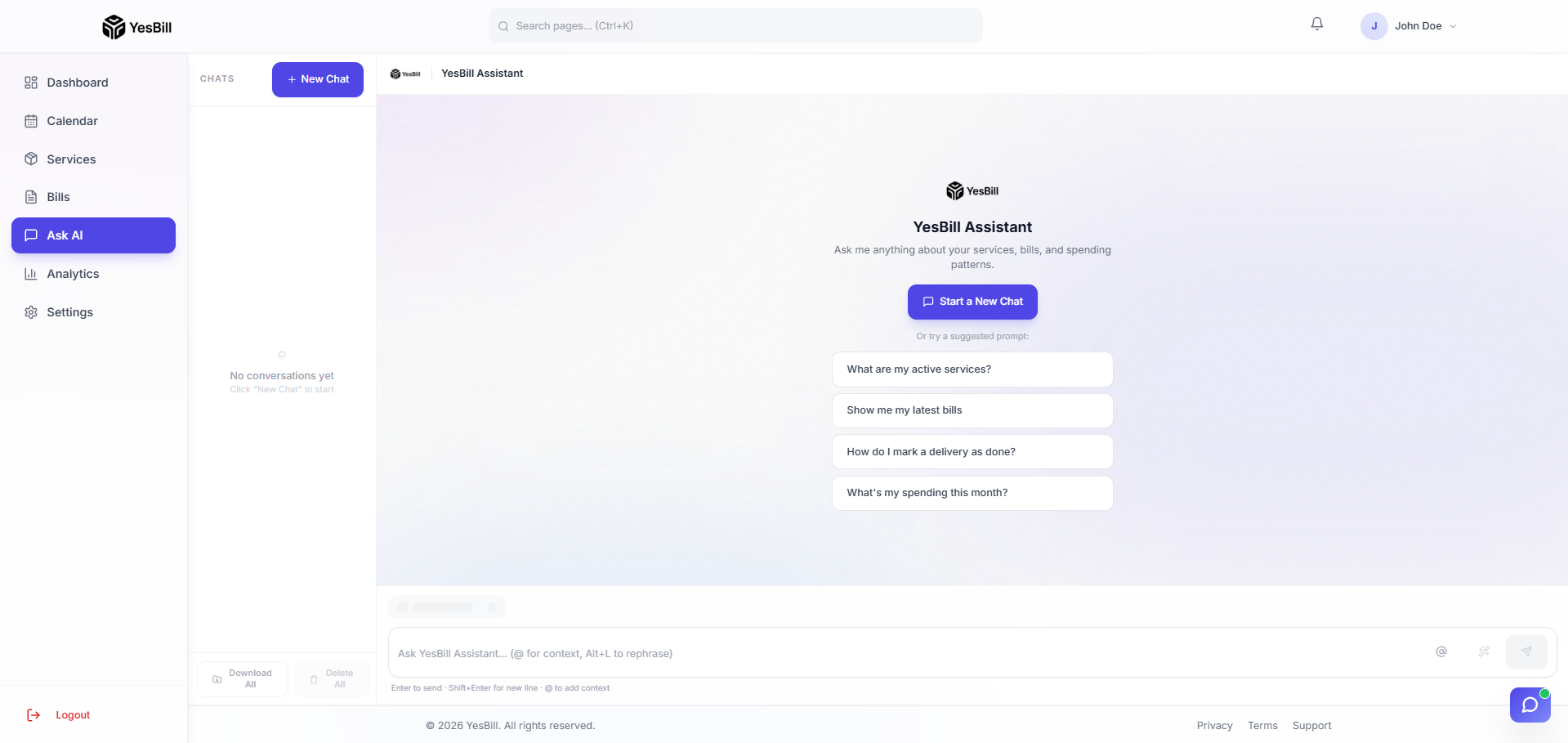
- Click Ask AI in the sidebar
- Type your question in the chat input
- Press Enter or click Send
Asking Questions
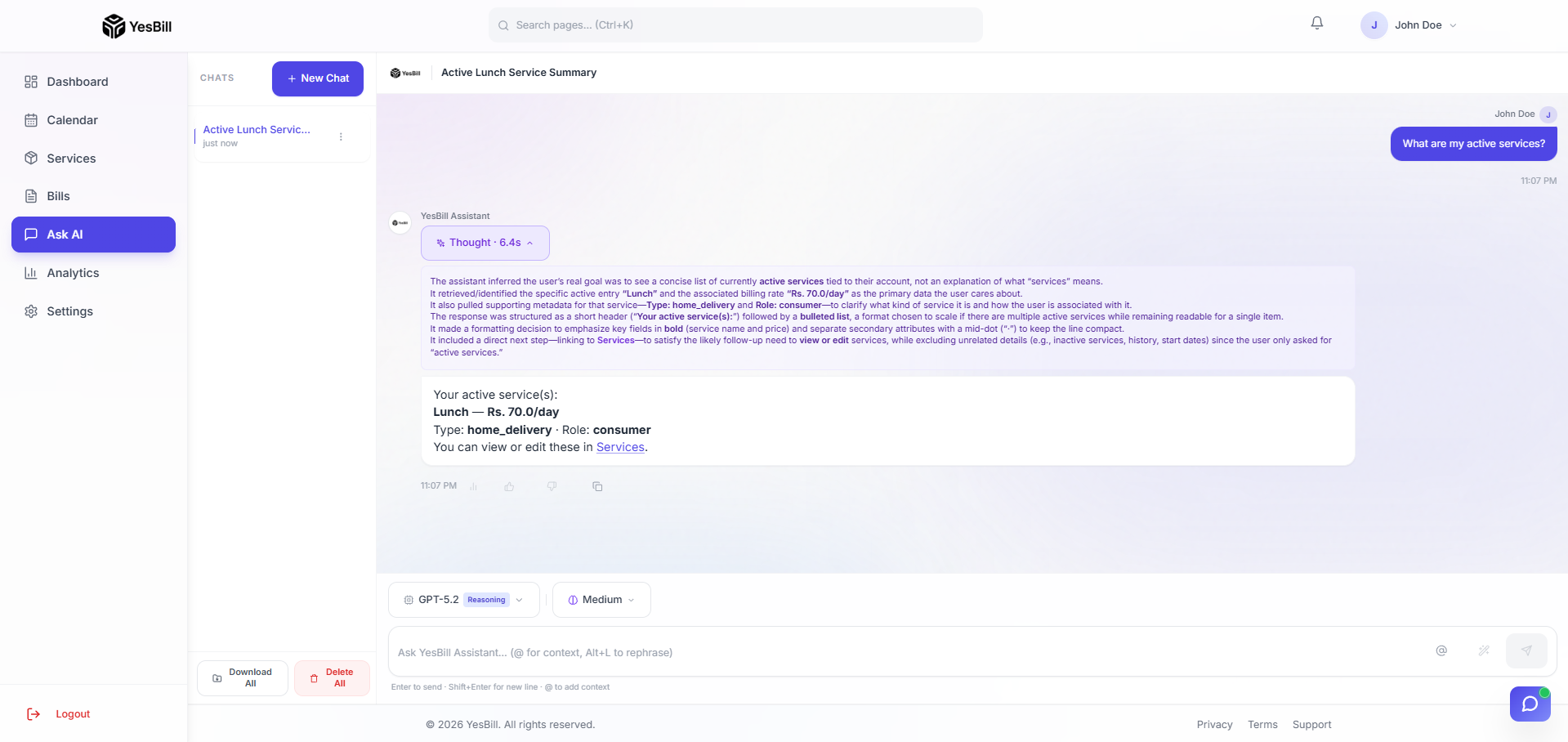
Ask AI understands natural language. Simply type as you would to a person.
Bill Queries
- "How much did I spend on all services in February?"
- "What's my total milk bill for this year?"
- "Did I pay the internet bill in December?"
Service Tracking
- "How many days was the tiffin delivered in January?"
- "Did the maid miss any days last week?"
- "Which services are currently active?"
Spending Analysis
- "What's my most expensive service?"
- "How has my monthly spend changed over the last 6 months?"
- "Break down my household expenses by category"
General Help
- "How do I add a new service?"
- "What's the difference between Visit-based and Home Delivery?"
Chat Options & Conversations
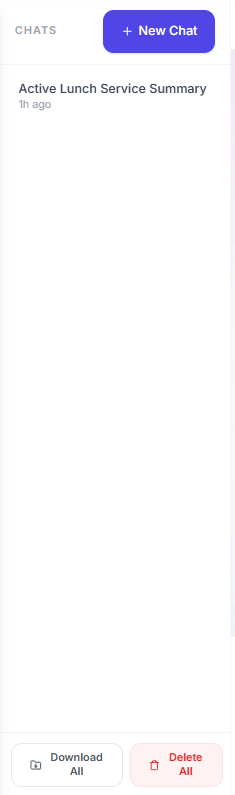
Each conversation is saved automatically. The left panel shows your conversation history — click any past conversation to resume it.
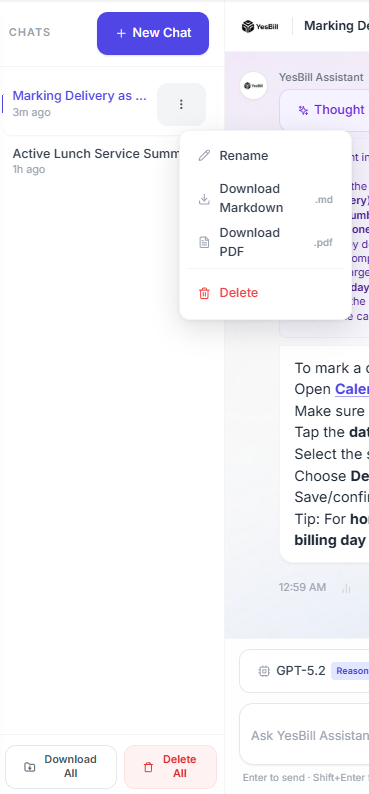
Right-click or hover over a conversation in the history list to access options: Rename or Delete a conversation.
Per-Message Features

Each AI response has a set of action buttons below it:
| Button | What It Does |
|---|---|
| 📊 Analytics | Shows token usage and cost for that specific message |
| 👍 / 👎 Feedback | Rate the response quality (helps improve the AI) |
| 📋 Copy | Copy the full response text to your clipboard |
Model Selection
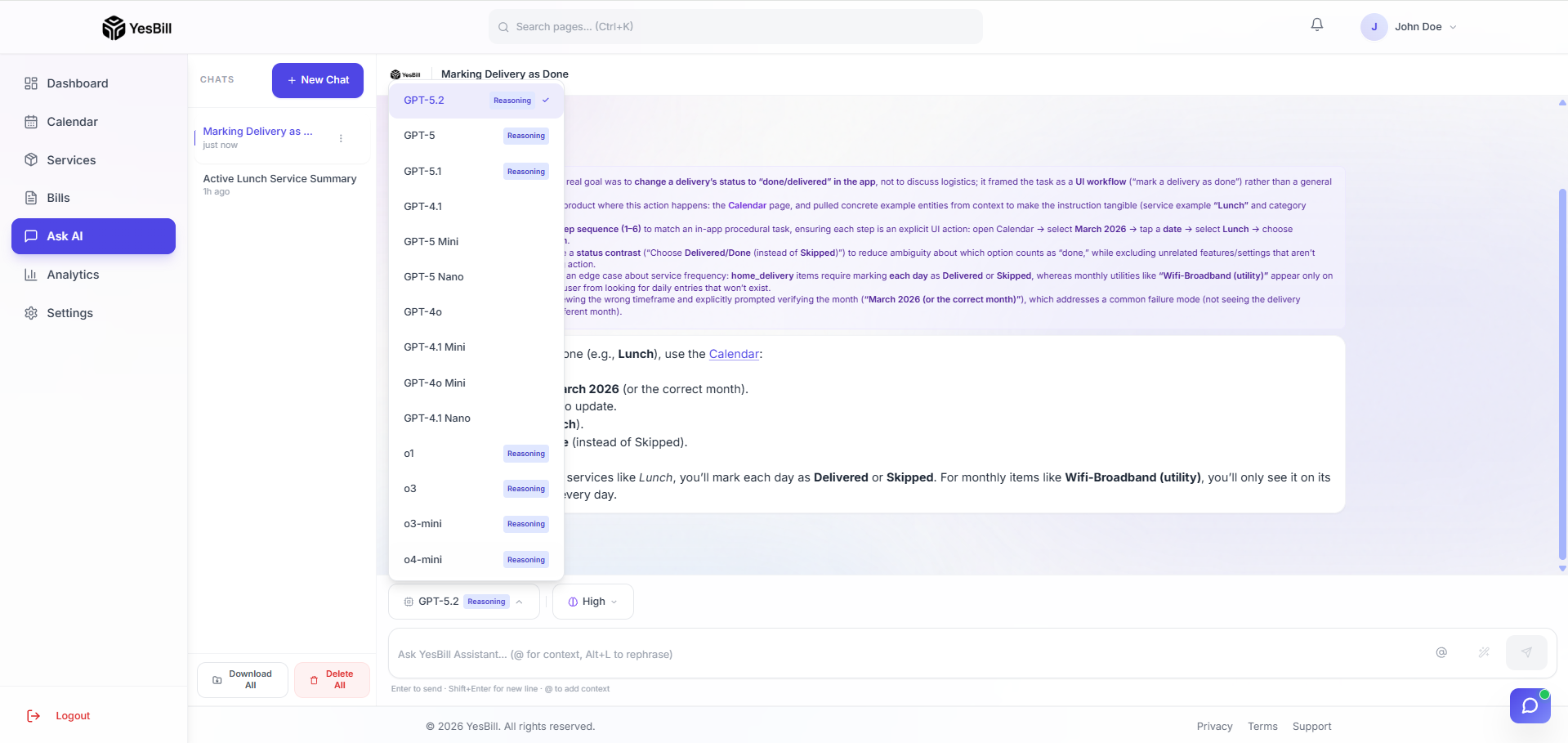
Use the model selector above the chat input to choose which AI model handles your query. Available models are based on which API keys you've configured:
- OpenAI — GPT-4o, GPT-4o Mini, GPT-4.1
- Anthropic — Claude 3.7 Sonnet, Claude 3.5 Haiku
- Google — Gemini 2.0 Flash, Gemini 1.5 Pro
Switch models freely between messages — each conversation remembers which model was used for each response.
Reasoning Effort
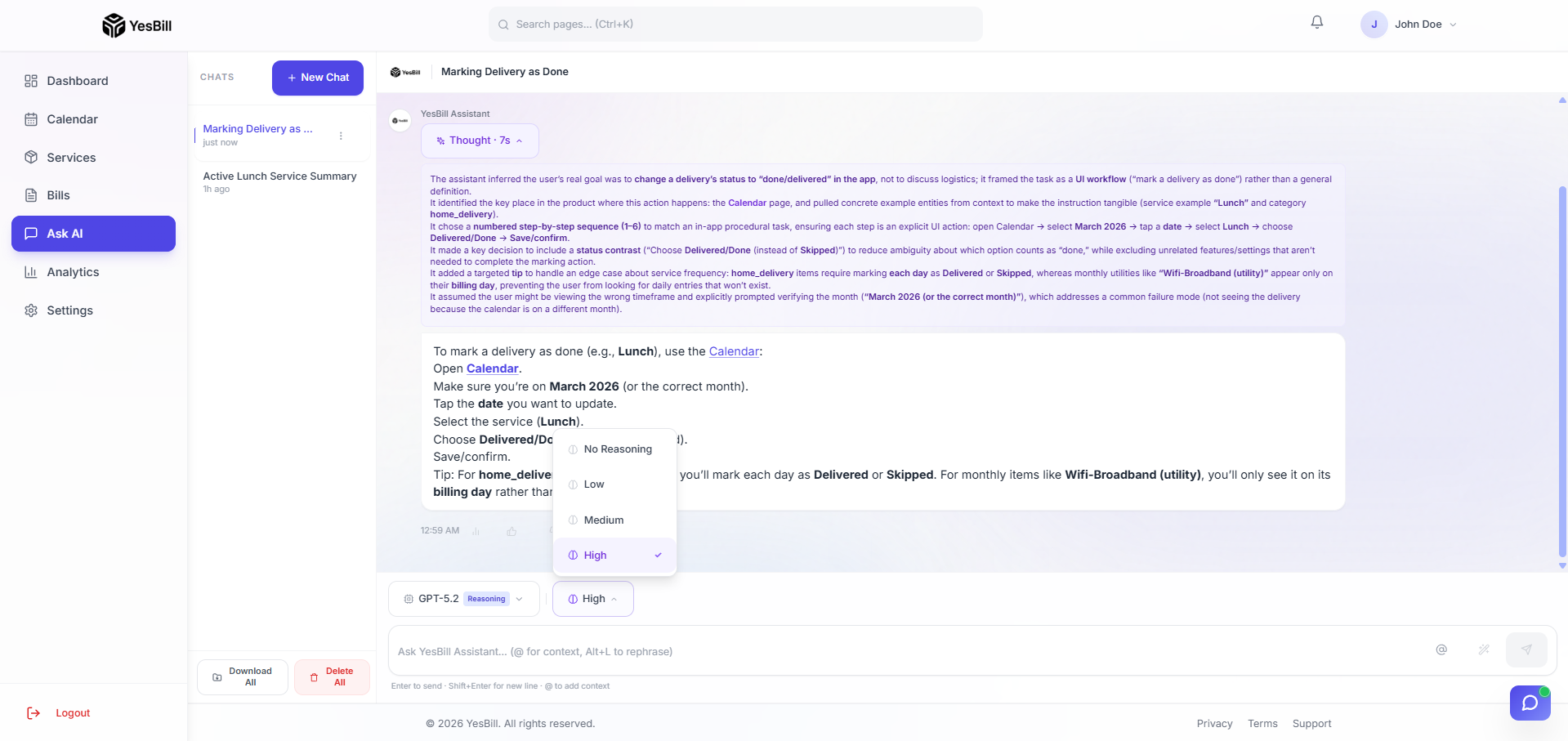
For models that support extended thinking (Claude 3.7 Sonnet, o3-mini), a Reasoning selector appears next to the model picker:
| Level | Speed | Depth | Use When |
|---|---|---|---|
| Low | Fastest | Surface | Quick factual lookups |
| Medium | Balanced | Standard | Most everyday questions |
| High | Slowest | Deep | Complex multi-month analysis |
Token Usage & Thinking Analytics
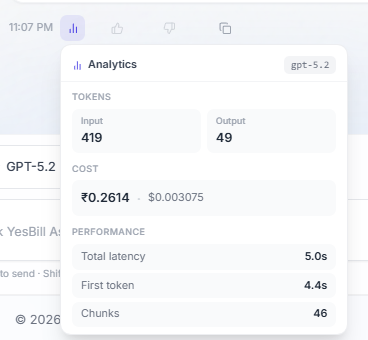
Click the 📊 icon on any message to open the Analytics panel showing:
- Model used and provider
- Prompt tokens and completion tokens
- Estimated cost for that query
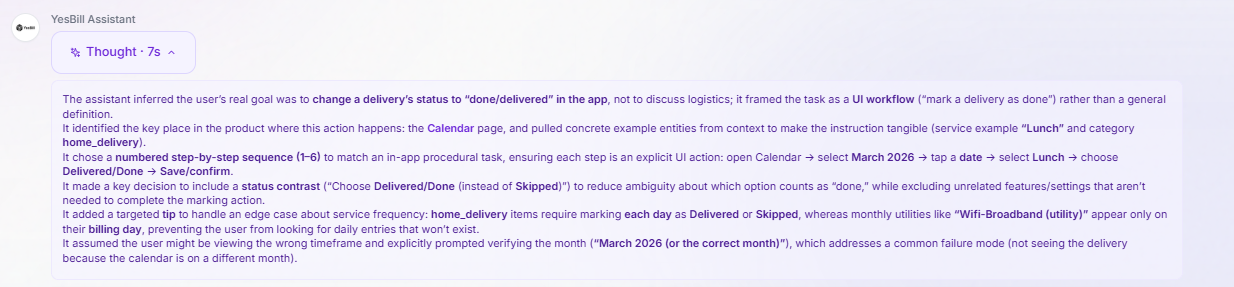
When using a reasoning model (High effort), the analytics panel also shows the thinking token count — the internal reasoning steps the model performed before responding. Thinking tokens consume more budget but produce more accurate, nuanced answers.
Ask AI has access to all your YesBill data — services, tracking history, bills, and payments. The more data you've entered, the better the answers.