AI Agent Assistant
The AI Agent is a floating chat assistant (similar to Intercom) that lives in the bottom-right corner of every page. It can answer questions AND take actions on your behalf.
Opening the Agent

Click the indigo chat bubble (🟣) in the bottom-right corner of any page to open the Agent panel.
Chatting with the Agent
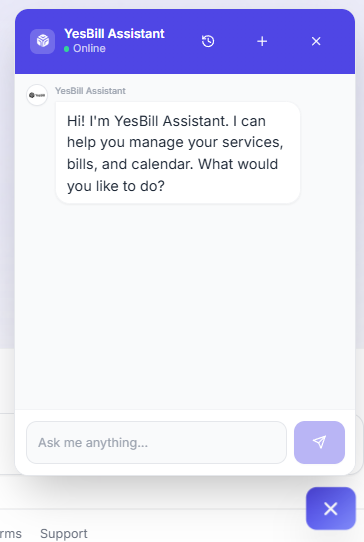
Type your question or command in the chat input. The Agent understands natural language and responds instantly.
What the Agent Can Do
Answer Questions
- "What services do I have?"
- "How much is my total bill this month?"
- "Is my internet marked active for February?"
Take Actions (with Confirmation)
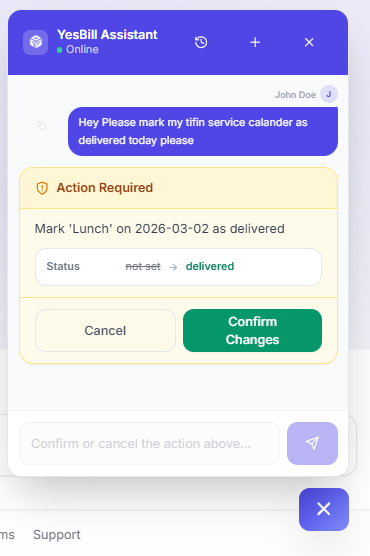
The Agent can perform write actions on your account — generating bills, creating or editing services, marking deliveries, and more. Every action shows a confirmation card before anything is saved.
See Agent Actions for the full list with examples and tips:
- Generate Bill
- Create Service
- Edit Service
- Toggle Service Active/Inactive
- Mark Bill as Paid
- Update Calendar Day
Conversation History
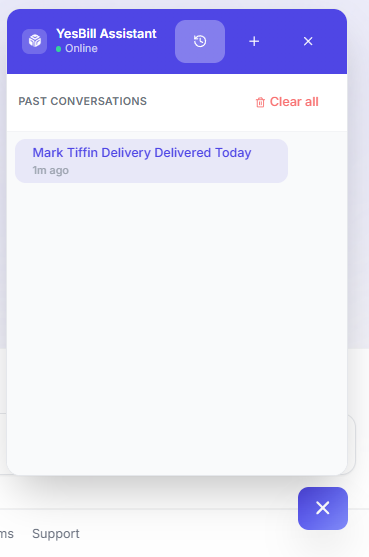
Click the history icon (🕐) in the Agent panel to see past conversations. Each conversation is automatically titled based on its content.
Agent Thinking Mode
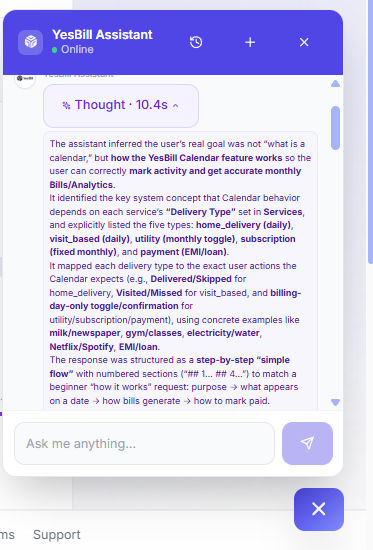
When you ask the Agent a complex question (e.g. "Which service cost me the most across all of last year?"), it may enter Thinking Mode. You'll see a reasoning indicator while the Agent works through the problem. This produces more accurate, context-aware answers but takes a few extra seconds.
Agent Analytics
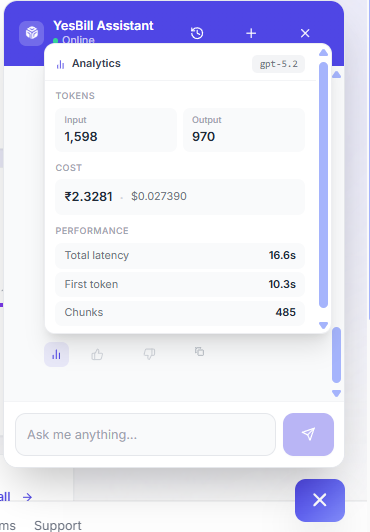
Each Agent response has a small 📊 Analytics icon. Click it to see token usage and estimated cost for that specific message — useful if you're monitoring your AI provider spend.
How It Differs from Ask AI
| Feature | Ask AI | Agent |
|---|---|---|
| Chat interface | Full page | Floating popup |
| History | Full panel | Recent sessions |
| Actions | No | Yes, with confirmation |
| Best for | Deep analysis | Quick tasks while browsing |
The Agent is powered by the same AI provider you've configured. If AI is not set up, the Agent will prompt you to configure it.