Support
YesBill has a built-in support system that lets you raise bugs, request features, or report AI-related issues directly from the app.
Opening Support
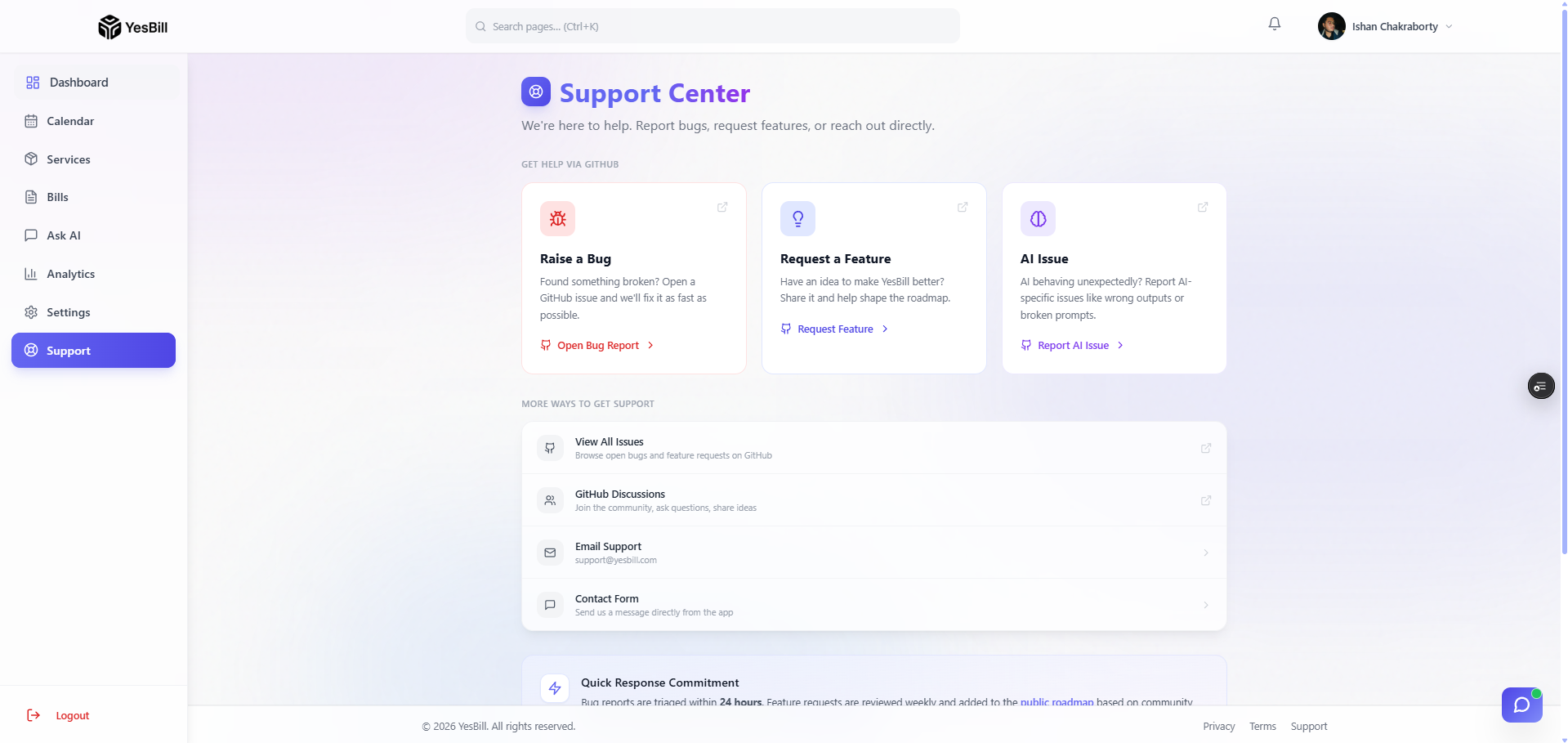
Click Support in the sidebar to open the support centre. From here you can choose the type of request you want to submit.
Raise a Bug
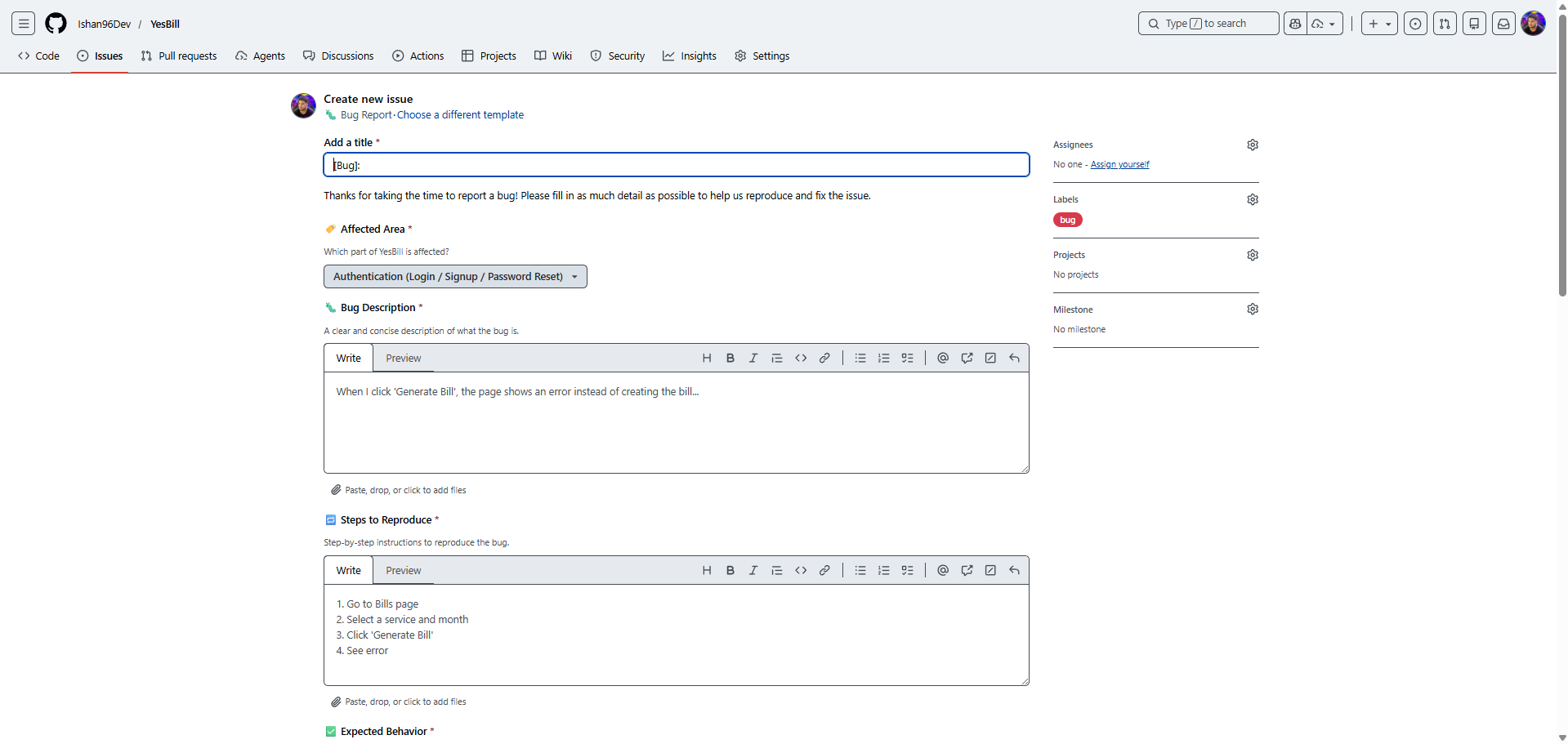
Use this form to report something that isn't working correctly:
- Describe the bug — What happened? What did you expect to happen?
- Steps to reproduce — How can we replicate it?
- Severity — How badly does this affect your usage?
- Click Submit — the report is sent to the YesBill team
The more detail you provide, the faster we can fix it. Include the page you were on and any error messages you saw.
Request a Feature
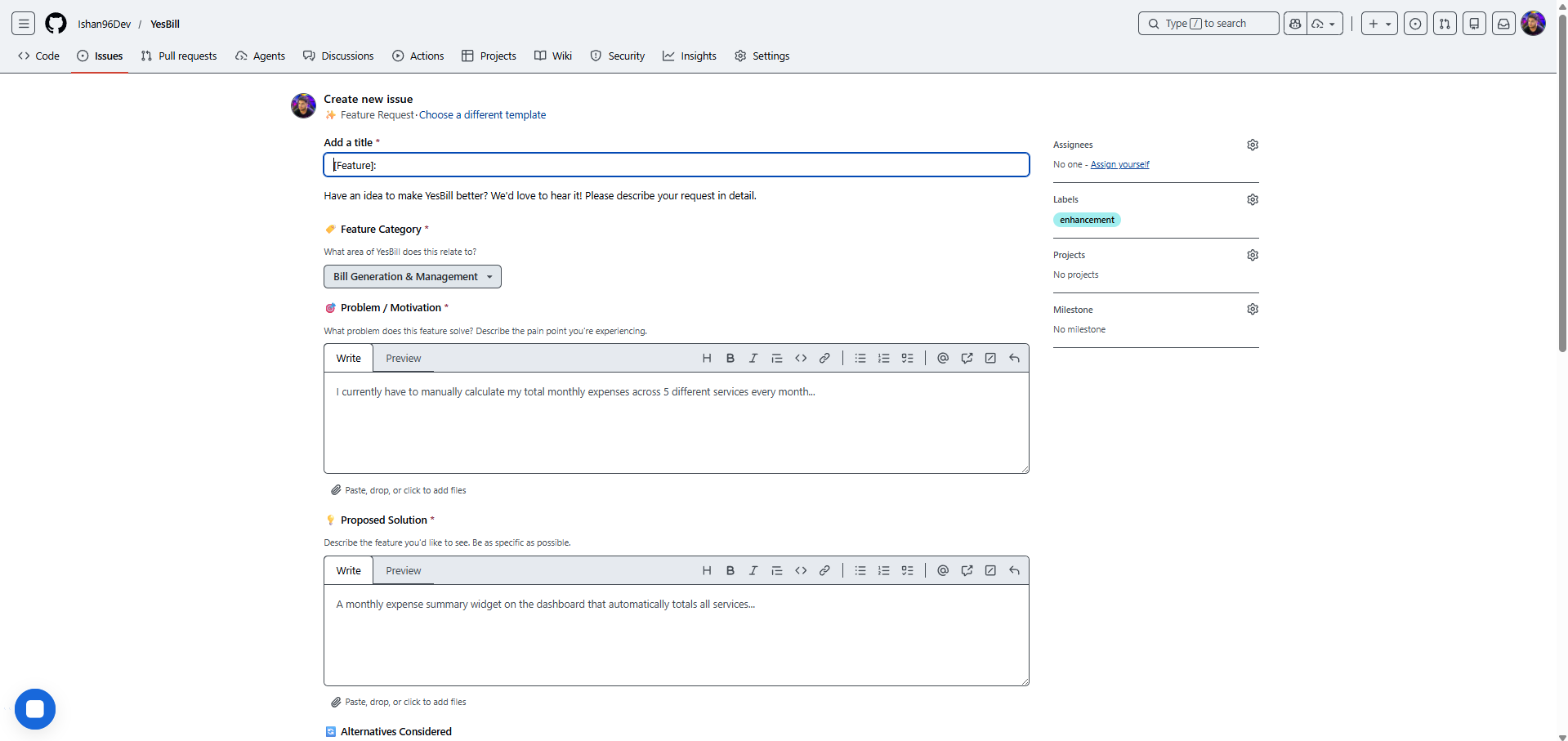
Have an idea that would make YesBill better?
- Feature title — Short description of what you want
- Describe the feature — How should it work? What problem does it solve?
- Priority — How important is this to you?
- Click Submit
AI Feature Issue
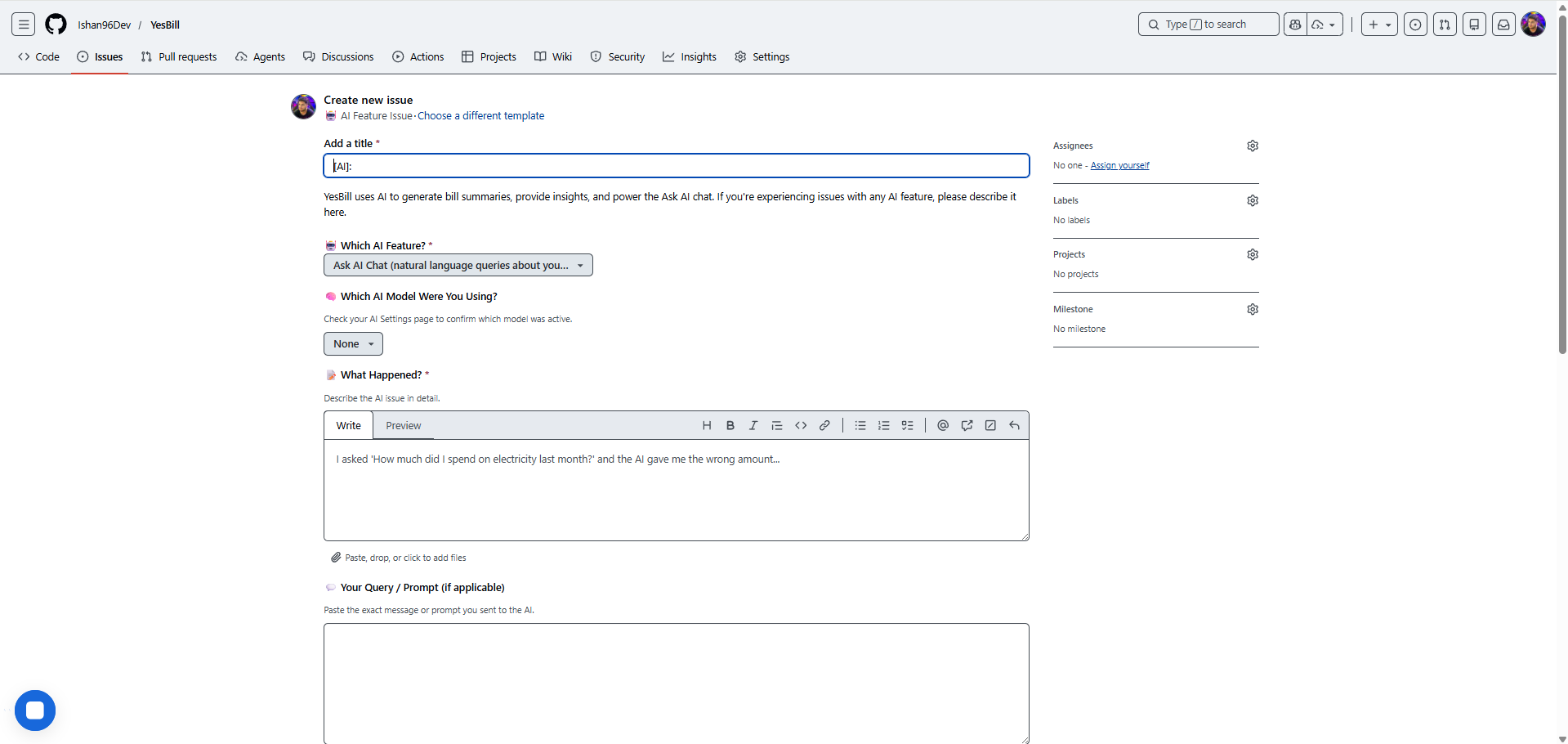
Use this form specifically for issues related to the AI features (Ask AI, AI bill summaries, AI agent):
- Which AI feature? — Select the feature that had the issue
- Describe the issue — What response was wrong or unhelpful?
- Click Submit
This helps us improve the AI prompts and context accuracy.
Response Times
The YesBill team reviews support tickets regularly. You'll receive a response via the email address on your account.