Notification Preferences
Control which types of notifications YesBill sends you.
Notification Settings
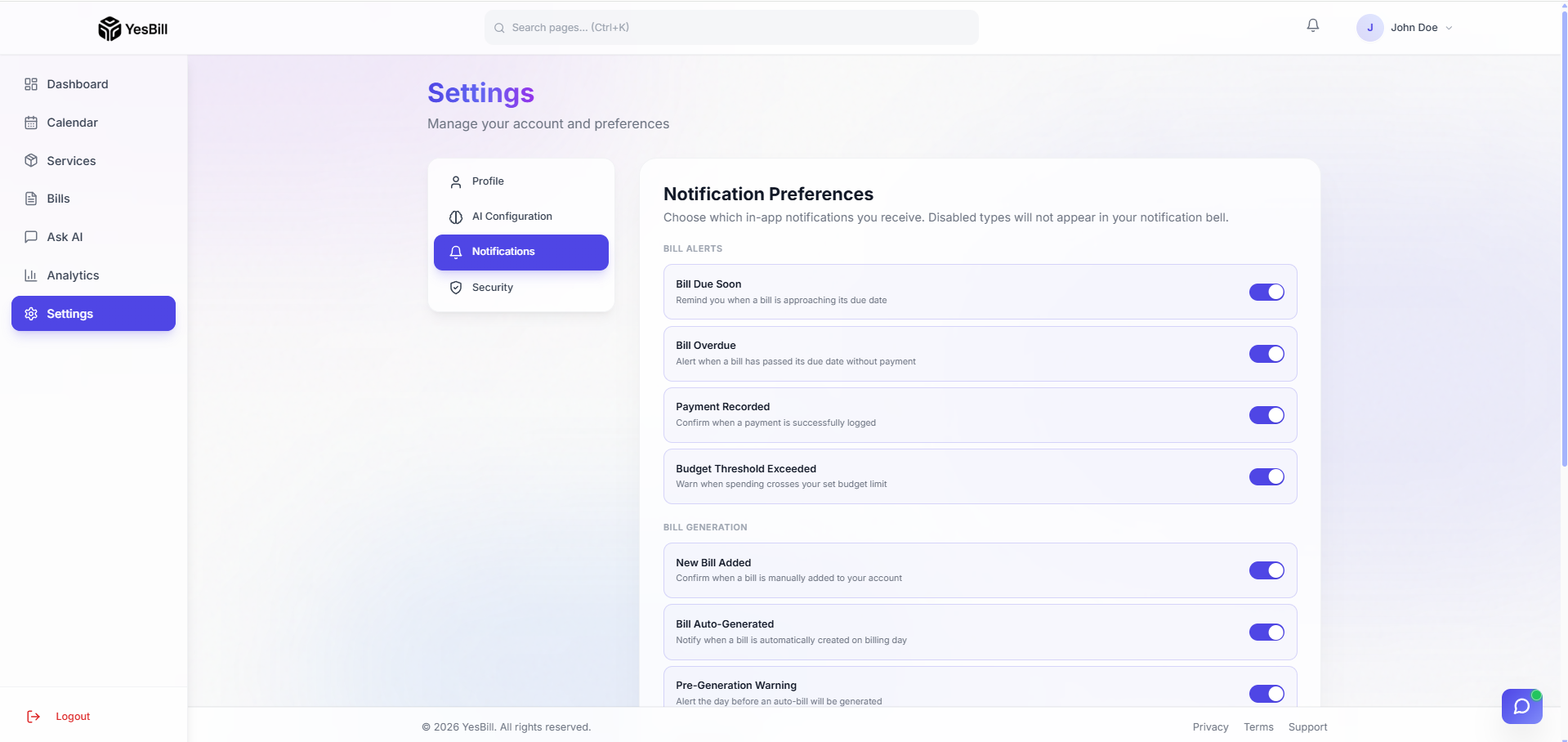
Accessing Notification Settings
- Go to Settings → Notifications tab
- Toggle each notification type on or off
Notification Types
| Type | What Triggers It |
|---|---|
| General | Welcome messages and announcements |
| Bill Generated | When a new bill is created for any service |
| Bill Warning | When bills are nearing due date |
| Service Expiry | When a service is about to end |
| AI Config | Reminder when no AI provider is configured |
| Email Verification | Security emails (email change, password reset) |
Reading Notifications
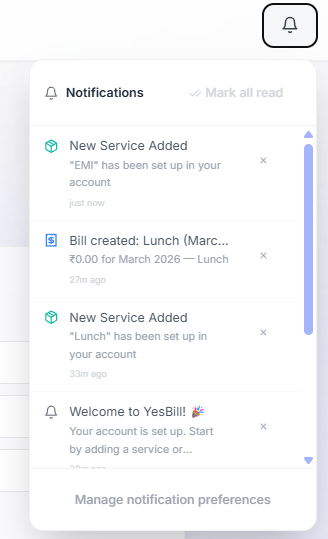
Click the bell icon (🔔) in the top navbar to open the notification panel:
- Unread notifications have a blue dot (●)
- Click Mark all as read to clear unread indicators
- Click Manage notification preferences to jump to Settings
Tips
- Disable notification types you don't find useful — only keep the ones that matter to you
- Bill Generated notifications are the most useful — they remind you to review and pay
- The notification panel shows the last 50 notifications. Older ones are not shown but are retained in your account history.