Auto Bill Generation
YesBill automatically generates bills at the end of each month so you don't have to calculate anything manually.
When Are Bills Generated?
Bills are generated automatically:
- On the 1st of each month — for all services from the previous month
- Via the backend cron job — runs daily at midnight and checks for any missing bills
You can also manually trigger generation from the Bills page.
Bill Generation Email
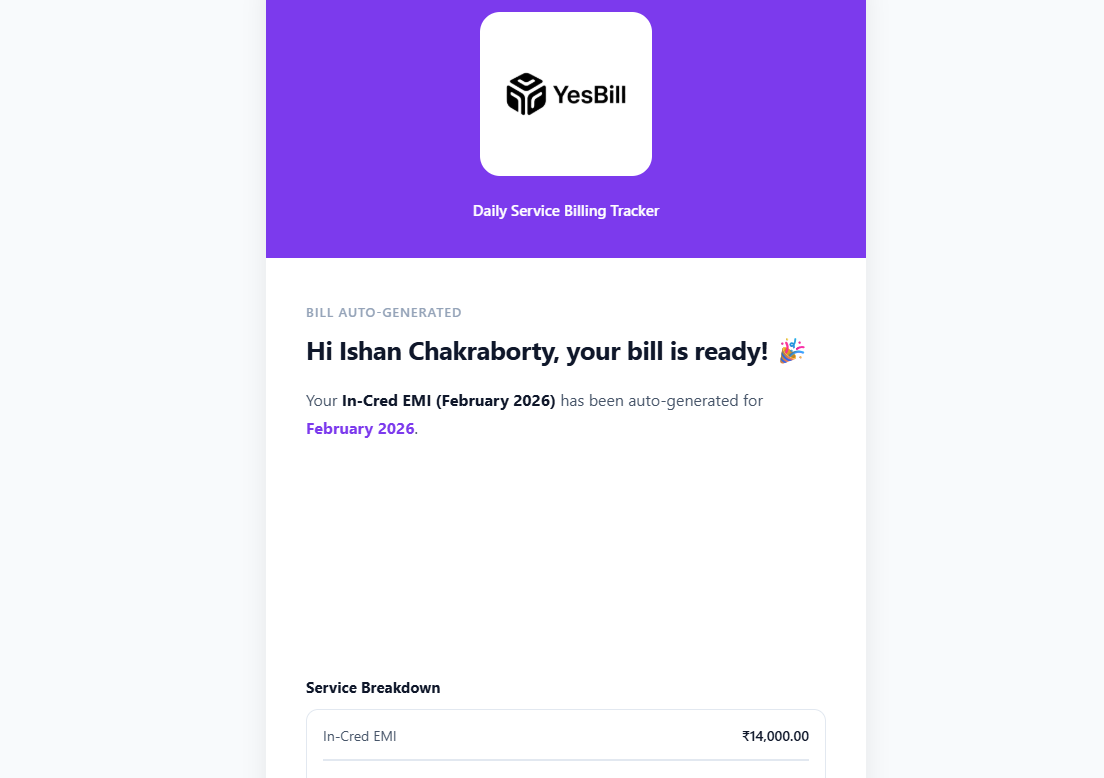
When YesBill generates a new bill, it sends you an email notification summarising the bill amount, the service it applies to, and the billing period. Click the link in the email to open the full bill directly. Make sure Bill Generated notifications are enabled in Settings → Notifications.
How Generation Works
- YesBill looks at your tracking data for the month
- For day-tracked services: counts Delivered/Visited days
- For utility services: checks if Active or Inactive
- For fixed services: uses the configured monthly price
- Creates a bill record with the calculated amount
- If AI is configured, the AI generates a summary (optional)
Manual Generation

To generate a bill immediately:
- Go to Bills
- Select the month from the month picker at the top
- Choose one or more services from the service selector
- Optionally add Bill Notes (e.g. "Vacation week excluded")
- Click Generate Bill — the AI creates an itemised bill with an optional summary
What If Data Is Missing?
If you forgot to mark some days:
- Those days remain Pending and are excluded from the bill
- You can still go back and mark them — then regenerate the bill
- Use Ask AI to ask "Did I miss any days in January?" to find gaps
Regenerating Bills
If you mark more days after a bill is generated, you can regenerate:
- Open the bill
- Click Regenerate
- The bill total is recalculated with updated data
Regenerating a bill will overwrite the existing total. If you've already marked the bill as Paid, be careful before regenerating.