Calendar Overview
The Calendar tab is where you mark daily deliveries and visits. YesBill uses these marks to calculate your monthly bills.
Calendar View
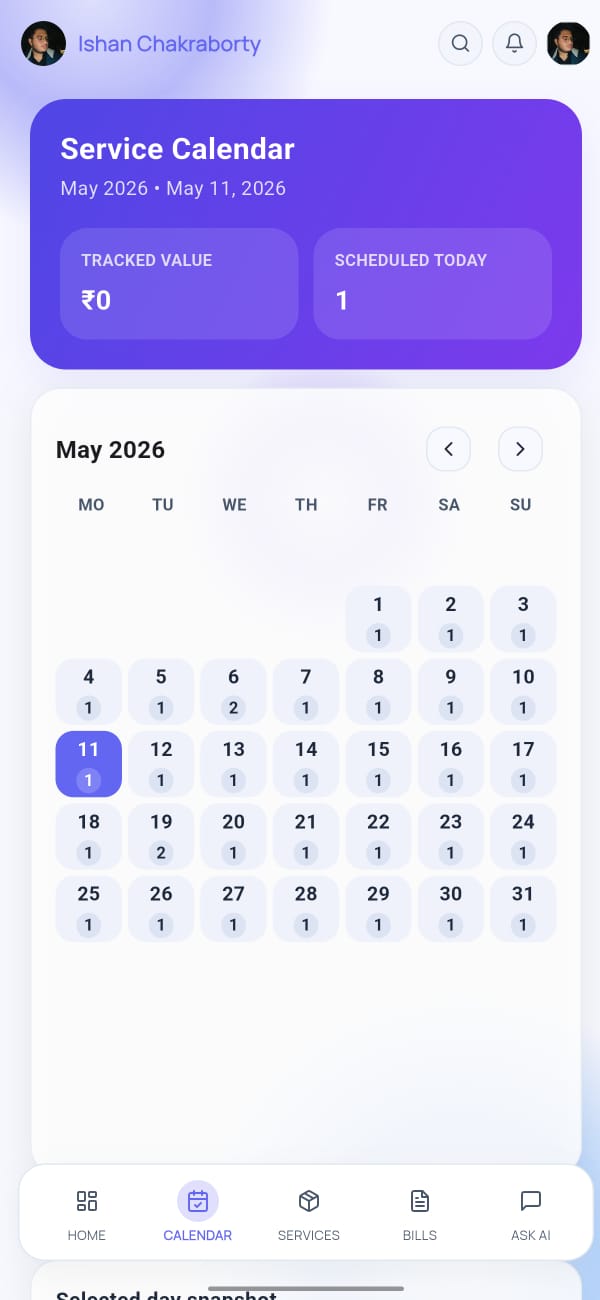
The calendar shows the current month with a grid of days. For each service, you can mark days as delivered, missed, or not applicable.
Marking a Delivery or Visit
- Tap Calendar in the bottom navigation bar.
- Tap on a date to open the day view.
- For each service listed, tap the checkmark to mark it as delivered/visited.
- Tap again to unmark if you made a mistake.
Color Codes
| Color | Meaning |
|---|---|
| Green | Delivery or visit marked |
| Red | Marked as absent/missed |
| Grey | Not marked (no record) |
Switching Between Services
If you have multiple services, swipe left/right or use the service selector at the top of the calendar to switch between them.
Retroactive Marking
You can mark past dates — tap any previous day in the calendar to update its record. This is useful if you forgot to mark deliveries for a few days.
Calendar marks feed directly into bill generation. Make sure all marks for the month are complete before generating your monthly bill.
Yearly View
Tap the year icon (top-right of the calendar) to switch to a yearly overview, showing which months have complete records and which have gaps.